
Email Whitelist
Never miss out on key updates.
Ensure your emails land in the inbox, not the junk folder, with these simple steps.
Here’s how to whitelist emails with a 2 most used providers.
Gmail
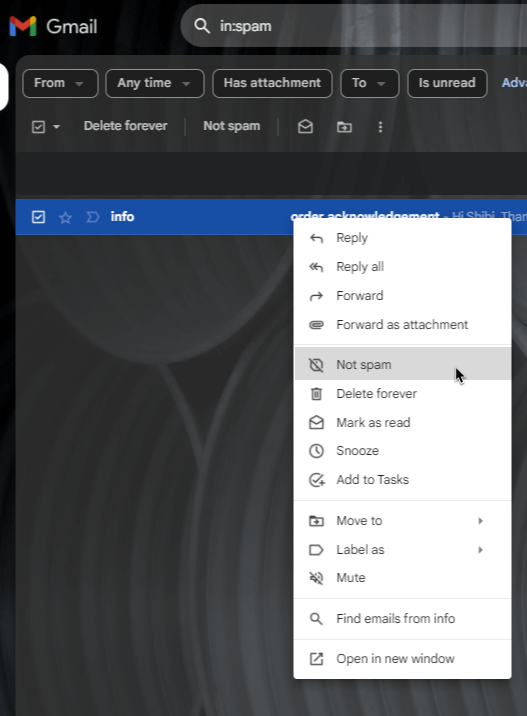
Search for an email from Contact@e.PharmaPrograms.com.au in your 'SPAM' folder, follow the steps below:
1. Right click on the email.
2. Click on "NOT SPAM".
Outlook
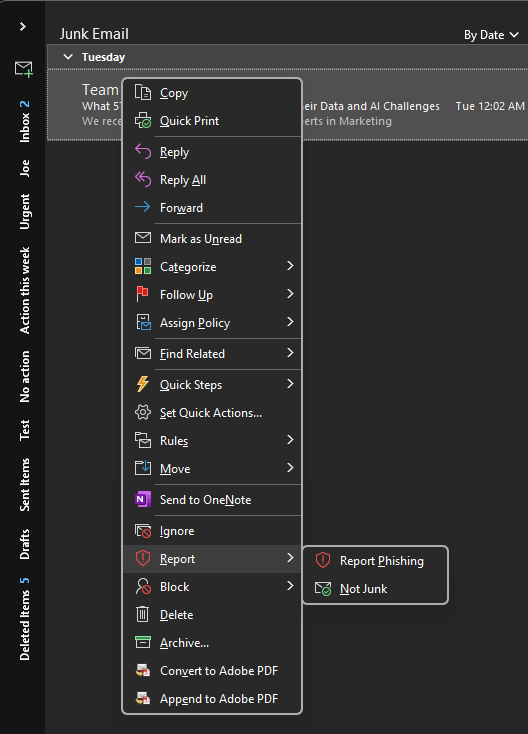
Search for an email from Contact@e.PharmaPrograms.com.au in your 'Junk' folder, follow the steps below:
1. Right click on the email.
2. Right click REPORT.
2. Click on "NOT JUNK".